快速入门
springboot.version: 2.2.2.RELEASE
POM
<dependency>
    <groupId>org.springframework.boot</groupId>
    <artifactId>spring-boot-starter-web</artifactId>
</dependency>
<dependency>
    <groupId>org.projectlombok</groupId>
    <artifactId>lombok</artifactId>
</dependency>
<dependency>
    <groupId>com.h2database</groupId>
    <artifactId>h2</artifactId>
</dependency>
<dependency>
    <groupId>org.springframework.boot</groupId>
    <artifactId>spring-boot-starter-data-jpa</artifactId>
</dependency>
<!--spring security-->
<dependency>
    <groupId>org.springframework.boot</groupId>
    <artifactId>spring-boot-starter-security</artifactId>
</dependency>
application.yml
- 默认情况下,
Spring Boot UserDetailsServiceAutoConfiguration自动化配置类,会创建一个内存级别的InMemoryUserDetailsManager Bean对象,提供认证的用户信息。 - 如果,我们未添加
spring.security.user配置项,UserDetailsServiceAutoConfiguration会自动创建一个用户名为 “user” ,密码为 UUID 随机的用户 User 在内存中。
server:
  port: 8081
spring:
  security:
    # 配置默认的 InMemoryUserDetailsManager 的用户账号与密码。
    user:
      name: user
      password: user
      roles: ADMIN
新建一个接口
@RestController
@RequestMapping("/admin")
public class AdminController {

    @GetMapping("/demo")
    public String demo() {
        return "示例返回";
    }
}
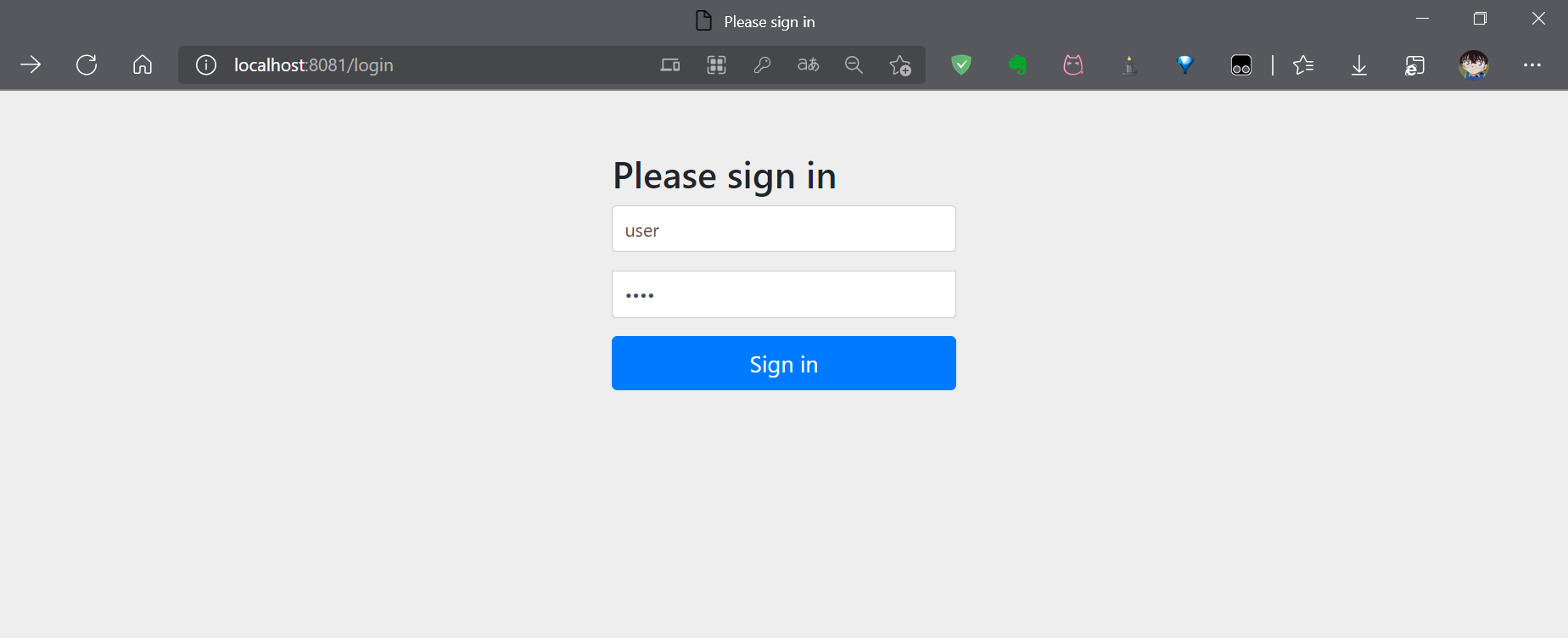
启动项目后,访问 http://localhost:8081/admin/demo,请求会被 Spring Security 拦截到默认的登录页面
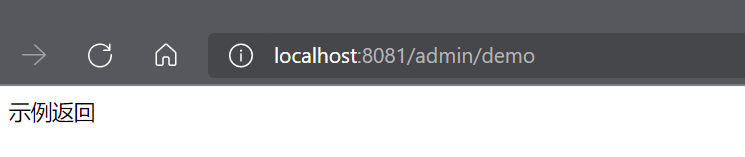
使用配置的 user/user 账号登录后,即可看到接口的返回值
进阶使用
配置类形式
- 新增 SecurityConfig 配置类,继承
WebSecurityConfigurerAdapter类 - 重写
configure(AuthenticationManagerBuilder auth),实现AuthenticationManager认证管理器 - 重写
configure(HttpSecurity http),配置 URL 的权限控制 antMatchers(String… antPatterns),配置匹配的 URL 地址- 【常用】
permitAll(),所有用户可访问 - 【常用】
denyAll(),所有用户不可访问 - 【常用】
authenticated(),登陆用户可访问 anonymous(),无需登陆,即匿名用户可访问rememberMe(),通过 remember me 登陆的用户可访问fullyAuthenticated(),非 remember me 登陆的用户可访问hasIpAddress(String ipaddressExpression),来自指定 IP 表达式的用户可访问- 【常用】
hasRole(String role), 拥有指定角色的用户可访问(自动拼“ROLE_”前缀) - 【常用】
hasAnyRole(String… roles),拥有指定任一角色的用户可访问(自动拼“ROLE_”前缀) - 【常用】
hasAuthority(String authority),拥有指定权限 (authority) 的用户可访问(需要加上“ROLE_”前缀) - 【常用】
hasAuthority(String… authorities),拥有指定任一权限 (authority) 的用户可访问(需要加上“ROLE_”前缀) - 【最牛】
access(String attribute),当 Spring EL 表达式的执行结果为 true 时,可以访问 formLogin(),设置 Form 表单登录- 如果想要自定义登陆页面,可以通过
loginPage(String loginPage)来进行设置 logout(),配置退出登录- 如果想要自定义退出页面,可以通过
logoutUrl(String logoutUrl)来进行设置
@Configuration
public class SecurityConfig extends WebSecurityConfigurerAdapter {

    @Override
    protected void configure(AuthenticationManagerBuilder auth) throws Exception {
        auth.
            // <X> 使用内存中的 InMemoryUserDetailsManager
            inMemoryAuthentication()
            // <Y> 不使用 PasswordEncoder 密码编码器
            .passwordEncoder(NoOpPasswordEncoder.getInstance())
            // <Z> 配置 admin 用户
            .withUser("admin").password("admin").roles("ADMIN")
            // <Z> 配置 normal 用户
            .and().withUser("normal").password("normal").roles("NORMAL");
    }

    @Override
    protected void configure(HttpSecurity http) throws Exception {
        http
            // <X> 配置请求地址的权限
            .authorizeRequests()
            .antMatchers("/test/echo").permitAll() // 所有用户可访问
            .antMatchers("/test/admin").hasRole("ADMIN") // 需要 ADMIN 角色
            .antMatchers("/test/normal").access("hasRole('ROLE_NORMAL')") // 需要 NORMAL 角色。
            // 任何请求,访问的用户都需要经过认证
            .anyRequest().authenticated()
            .and()
            // <Y> 设置 Form 表单登陆
            .formLogin()
            //.loginPage("/login") // 登陆 URL 地址
            .permitAll() // 所有用户可访问
            .and()
            // 配置退出相关
            .logout()
            //.logoutUrl("/logout") // 退出 URL 地址
            .permitAll(); // 所有用户可访问
    }
}
测试接口
@RestController
@RequestMapping("/test")
public class AdminController {

    @GetMapping("/echo")
    public String demo() {
        return "无需登录即可访问";
    }

    @GetMapping("/home")
    public String home() {
        return "需要登录";
    }

    @GetMapping("/admin")
    public String admin() {
        return "需要ADMIN角色";
    }

    @GetMapping("/normal")
    public String normal() {
        return "需要NORMAL角色";
    }
}
注解形式
增加 @EnableGlobalMethodSecurity 注解,开启对 Spring Security 注解的方法,进行权限验证
@EnableGlobalMethodSecurity(prePostEnabled = true)
@Configuration
public class SecurityConfig extends WebSecurityConfigurerAdapter {

    @Override
    protected void configure(AuthenticationManagerBuilder auth) throws Exception {
        auth.
            // <X> 使用内存中的 InMemoryUserDetailsManager
            inMemoryAuthentication()
            // <Y> 不使用 PasswordEncoder 密码编码器
            .passwordEncoder(NoOpPasswordEncoder.getInstance())
            // <Z> 配置 admin 用户
            .withUser("admin").password("admin").roles("ADMIN")
            // <Z> 配置 normal 用户
            .and().withUser("normal").password("normal").roles("NORMAL");
    }

    @Override
    protected void configure(HttpSecurity http) throws Exception {
        http
            // <X> 配置请求地址的权限
            .authorizeRequests()
            // 任何请求,访问的用户都需要经过认证
            .anyRequest().authenticated()
            .and()
            // <Y> 设置 Form 表单登陆
            .formLogin()
            //.loginPage("/login") // 登陆 URL 地址
            .permitAll() // 所有用户可访问
            .and()
            // 配置退出相关
            .logout()
            //.logoutUrl("/logout") // 退出 URL 地址
            .permitAll(); // 所有用户可访问
    }
}
接口增加权限注解
@PermitAll等价于#permitAll(),所有用户可访问@PreAuthorize等价于#access(String attribute),当 Spring EL 表达式的执行结果为true时,可以访问
注意
在 SecurityConfig 中,如果配置了
anyRequest().authenticated(),那么任何请求和访问的用户都需要经过认证,所以下面的@PermitAll注解实际是不生效的(貌似注解类的配置优先级更高)
@RestController
@RequestMapping("/test")
public class AdminController {

    @PermitAll
    @GetMapping("/echo")
    public String demo() {
        return "无需登录即可访问";
    }

    @GetMapping("/home")
    public String home() {
        return "需要登录";
    }

    @PreAuthorize("hasRole('ROLE_ADMIN')")
    @GetMapping("/admin")
    public String admin() {
        return "需要ADMIN角色";
    }

    @PreAuthorize("hasRole('ROLE_NORMAL')")
    @GetMapping("/normal")
    public String normal() {
        return "需要NORMAL角色";
    }
}
RBAC 模型
SecurityContext
SecurityContext是一个存储Authentication的容器。Authentication是一个用户凭证接口,用来作为用户认证的凭证使用,常用的实现类有认证用户UsernamePasswordAuthenticationToken和匿名用户AnonymousAuthenticationToken`UsernamePasswordAuthenticationToken包含了UserDetails,AnonymousAuthenticationToken只包含了一个字符串 “anonymousUser” 作为匿名用户的标识
SecurityContextHolder
作用
保留系统当前的安全上下文细节,其中就包括当前使用系统的用户的信息
方法
setContext()设置当前的 SecurityContextgetContext()获取当前的 SecurityContext , 进而获取到当前认证用户clearContext()清除当前的 SecurityContext
存储策略
MODE_THREADLOCAL利用ThreadLocal机制来保存每个使用者的 SecurityContext,默认策略,平常我们使用这个就行了MODE_INHERITABLETHREADLOCAL利用 InheritableThreadLocal 机制来保存每个使用者的 SecurityContext,多用于多线程环境环境下MODE_GLOBAL静态机制,作用域为全局,目前不太常用
应用
使用工具类 SecurityContextHolder 获取用户信息
public String getCurrentUser() {
    Authentication authentication = SecurityContextHolder.getContext().getAuthentication();

    //匿名用户
     if (authentication instanceof AnonymousAuthenticationToken){
         return"anonymousUser";
     }
     //认证用户
    UserDetails principal = (UserDetails) authentication.getPrincipal();
    return principal.getUsername();
}自定义登录
form 登录的流程
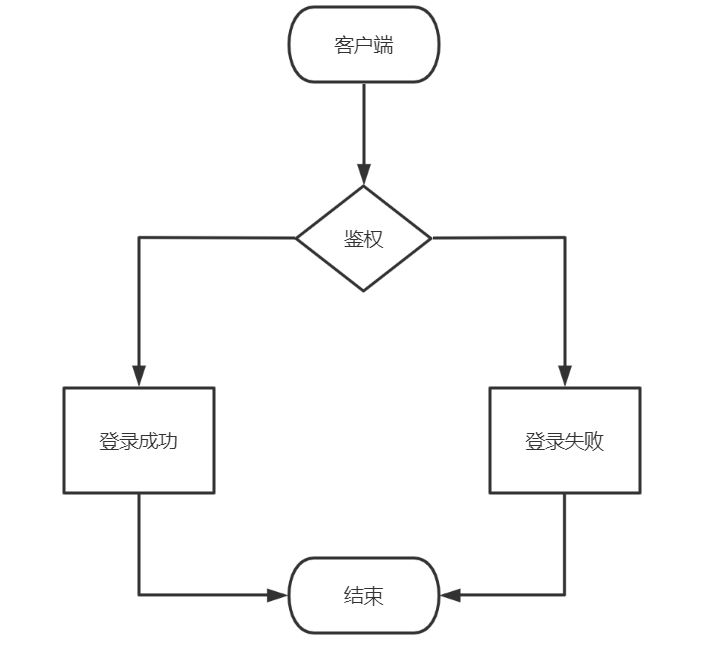
通常的自定义访问控制主要是通过 HttpSecurity 来构建的,它提供了三种登录方式:
formLogin()普通表单登录oauth2Login()基于 OAuth2.0 认证/授权协议openidLogin()基于 OpenID 身份认证规范
以上三种方式统统是 AbstractAuthenticationFilterConfigurer 实现的
Reference